
Unity Asset Store
The Audio Lab
Audio Lab 2.0 Tutorial Coming soon - Once update is released.
Overview
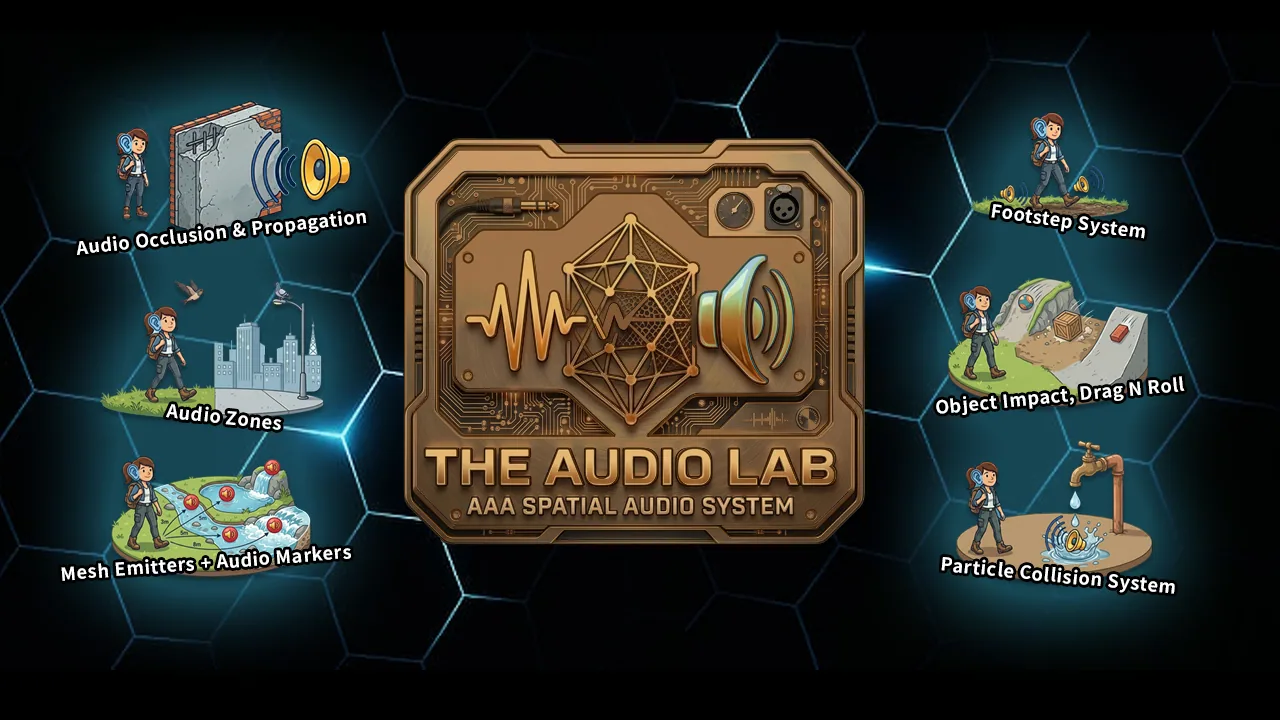
The Audio Lab is a complete audio system for Unity games: footsteps, impacts, environmental zones, occlusion, mesh audio, and particle collisions in one package.
Systems share surface data and behavior where it makes sense—footsteps, impacts, and zones aren’t three separate inventions that ignore each other.
Why The Audio Lab?
Complete Audio Solution
Footsteps (several movement styles), surface detection, zones with transitions, mesh emitters, occlusion, particle collision audio—built so those parts reuse concepts instead of duplicating logic in unrelated scripts.
Works With Your Setup
Footsteps need to know how your character moves. The Audio Lab supports Rigidbody, Character Controller, and custom foot colliders—whichever you’re already using. Surfaces and impacts plug into Unity’s physics and built-in audio workflow.
Performance Optimized
Lookups are fast where it matters. Caching cuts down expensive searches. Updates stay lean so you’re not paying for audio every frame when nothing’s happening. Complex setups shouldn’t mean a sluggish game.
What's Included
Footstep System
Complete footstep audio for common setups:
- Rigidbody footstep detection
- Character Controller support
- Custom foot collider workflow
- Landing sounds
- Speed-based pitch control
- Particle effects integration
- Surface-based audio (textures, tags, terrain)
Object Audio Interaction
Physics-based audio that reacts to your world:
- Impact sounds from surface hardness and collision velocity
- Drag and roll audio for moving objects
- Light / medium / heavy impact variations
- Automatic audio source management
Environmental Audio Zones
Build spaces that sound different as you move through them:
- Smooth zone transitions
- Reverb, Low Pass, High Pass, and Echo per zone
- Zone manager for scene-wide coordination
- Ambient sounds with blending
Advanced Features
- Mesh Audio Emitter — Audio tied to mesh surfaces with spatial markers. Picture one long river mesh: calm water at one end, rapids in the middle, waterfall at the far end—markers drive smooth transitions along the surface instead of juggling a dozen separate sources.
- Occlusion System — Occlusion and propagation with probes
- Particle Collision Audio — Impacts from particle systems
- Decal System — Visual decals for impacts and footsteps
Bonus Content
- Flowing texture shader (used in the demo scene)
- Sample content and examples
- Editor tools tuned for real workflows
What Makes This Different?
It Actually Works Together
These aren’t unrelated tools shipped in the same folder. Footsteps share surface logic with impacts. Zones play nicely with occlusion. The pieces share a design language so you’re not learning five different “ways” to do audio.
Built for Real Games
I use this in my own projects. Edge cases and performance aren’t afterthoughts—you get production-minded code you can ship with.
It’s Complete
Footsteps, impacts, zones, occlusion, mesh audio, particles. One purchase, one coherent system—not a starter pack you outgrow in a week.
Demo
Try it out yourself! - Download the Demo (PC)
The demo scene shows the major features with examples you can inspect and reuse.
Documentation & Support
Full user manual in the editor. Open User Guide on components jumps to the right section or check out the video below.
Gallery
Click a shot to enlarge.
Page 1 of 2